Bridge
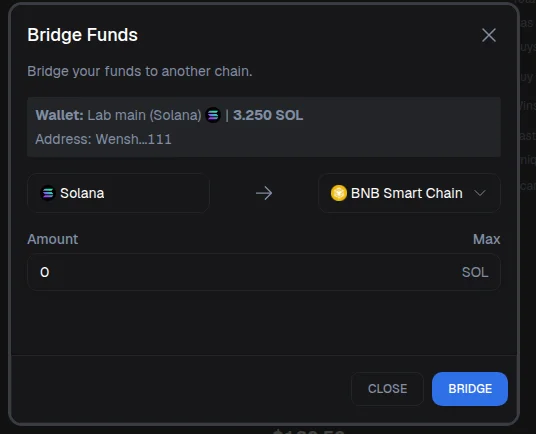
Wenshot allows you to easily bridge funds from one blockchain to another.
Step-by-step guide
- Go to your Portfolio.
- Click on Bridge.
- Select the source chain and the destination chain. Example: Solana → BNB Chain
- Enter the amount you want to bridge.
- Review the estimated gas fee shown on the screen.
- Click Bridge to confirm.
How it works
The bridge is powered by deBridge, an external protocol partnered with Wenshot. This ensures fast, secure, and low-cost transfers between chains.
After the transfer
Once the process is complete:
- Your funds will be converted and bridged automatically.
That’s it — your funds are now bridged and ready to use.