Track Performance
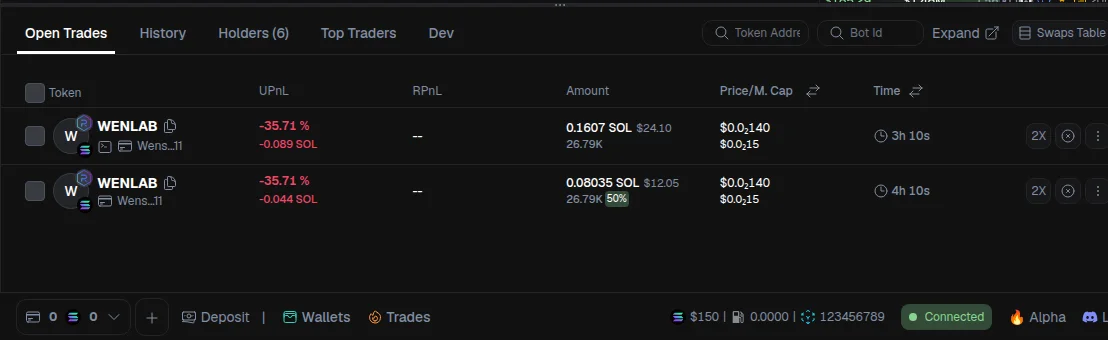
Clicking on a trade opens the trade details view. At the top, you’ll see general token information. Below that, you’ll find detailed trade data, including:
- Trade ID: useful for debugging or contacting support
- Wallet used for the trade
- Total gas fees paid to execute the transactions
- Unrealized PnL: the profit or loss you would realize if you sold the position now; this already includes estimated slippage and sell taxes
- Realized PnL: profit already secured from partial sells
- Initial buy amount and current value
All values are updated in real time.
Orders Overview
In the Orders section, you can see everything related to the execution of the trade.
- Executed buys: completed buy orders with execution price, market cap, timestamp, and block number
- Blockchain links: click the block or transaction hash to inspect the transaction directly on-chain (for example, via Solscan)
Planned Orders (DCA, Take Profit, Stop Loss)
Below executed orders, you’ll see planned orders:
- Buy Limit (DCA): pending buy orders that execute automatically when price or market cap reaches the defined level; each order has an expiration time and can be canceled manually
- Take Profit: predefined levels where the bot will sell part or all of the position once price increases by a set percentage
- Stop Loss: closes the trade automatically if price drops below the defined threshold
If Auto Retry is enabled, failed take-profit or stop-loss executions are retried automatically in the next block.
Chart Visualization
All trade actions are visualized on the chart:
- Green bubbles show executed buys, while red bubbles show executed sells
- Average entry price reflects all DCAs
- Pending buy limits, take-profit levels, and stop-loss levels are clearly displayed
This gives you a complete, real-time overview of the trade and its strategy.